Every folder scanned
INBOX, Sent, archives and any custom folder. Pick a specific set — or take the whole mailbox at once.
Version 1.1.0 · macOS · Windows · Linux
Contact Extractor connects to your IMAP mailbox, walks every folder and filters out newsletters, robots and internal traffic — leaving a list of real counterparties, ready to export to Excel.
Instead of digging through your Sent folder by hand — clear rules you set yourself, giving the same result every time.
INBOX, Sent, archives and any custom folder. Pick a specific set — or take the whole mailbox at once.
Two-way conversation thresholds, domain allow/deny lists, words in subject and body, a list of automated addresses — every rule is visible in the UI.
A local cache on your machine remembers what it has already read, so a rescan fetches only new messages instead of the whole mailbox again.
Contacts appear in the table as folders are processed — no need to wait for the scan to finish to see whether your filters are right.
Click a contact to see every message behind the result: which folder it came from, the subject, whether it was sent or received, and whether it was automated.
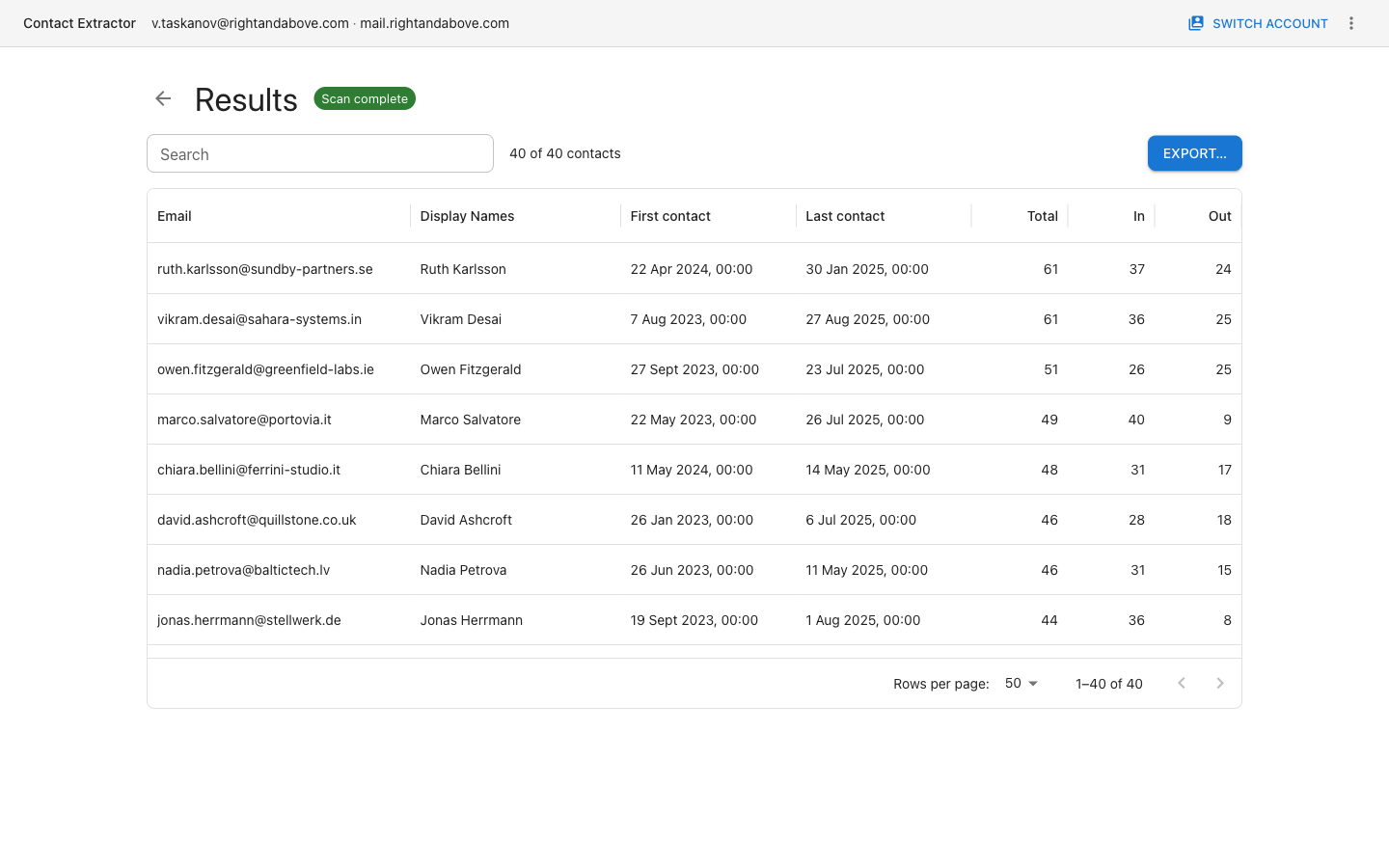
A ready-to-use table with email, display names, first and last contact dates and inbound/outbound counters.
Host, port, TLS, username and password — or a saved account. Sign-in is IMAP username and password only, no OAuth or SSO. The password is encrypted by the OS keystore: Keychain, DPAPI or libsecret.
Choose folders and matching rules. The app reads message headers; bodies are fetched only if you explicitly enable that option.
A searchable, sortable contact table, drill-down into the source messages, and an export to XLSX or CSV.
Screenshots taken from the real 1.1.0 build (data is synthetic).
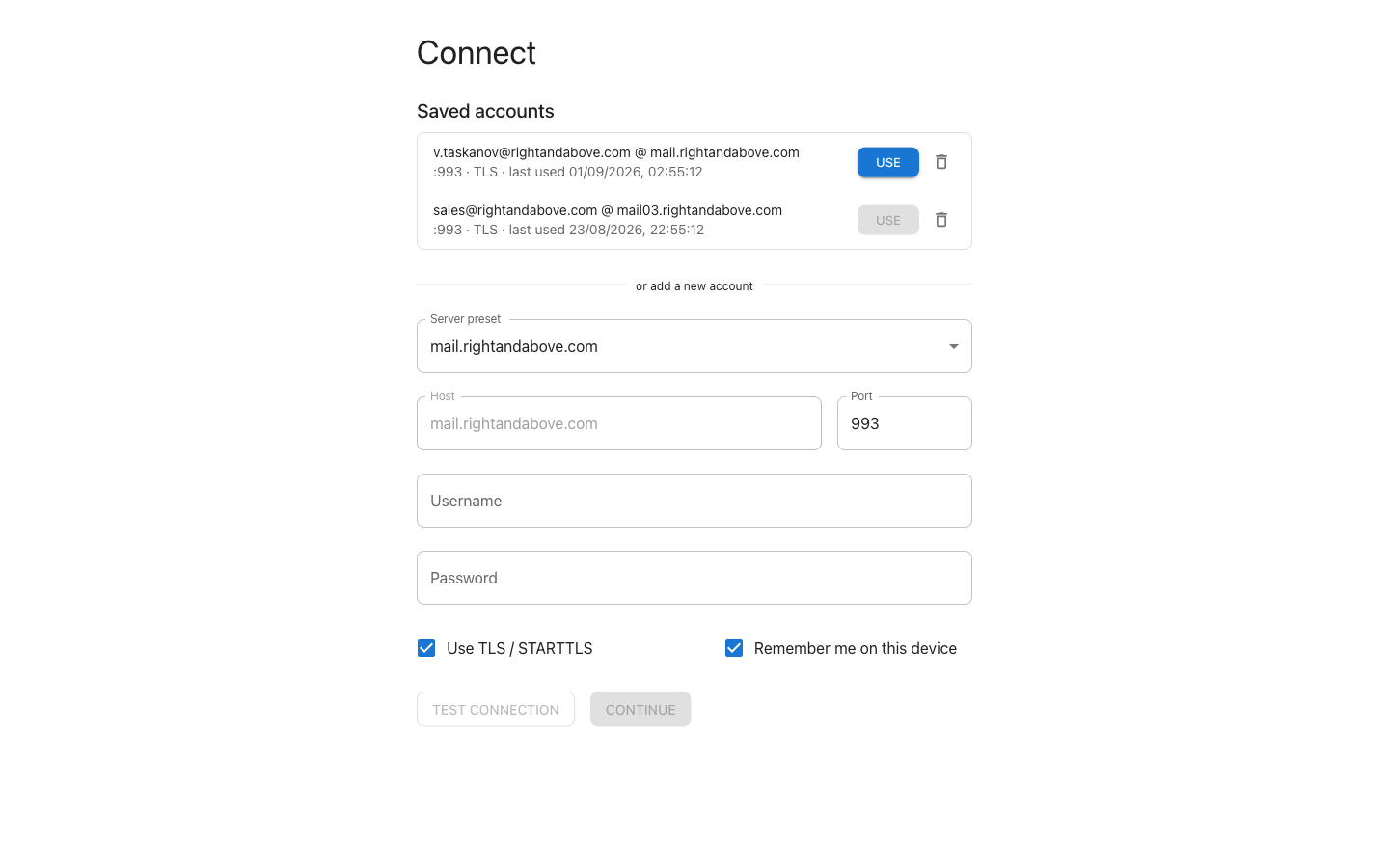
Saved accounts and the IMAP connection form.
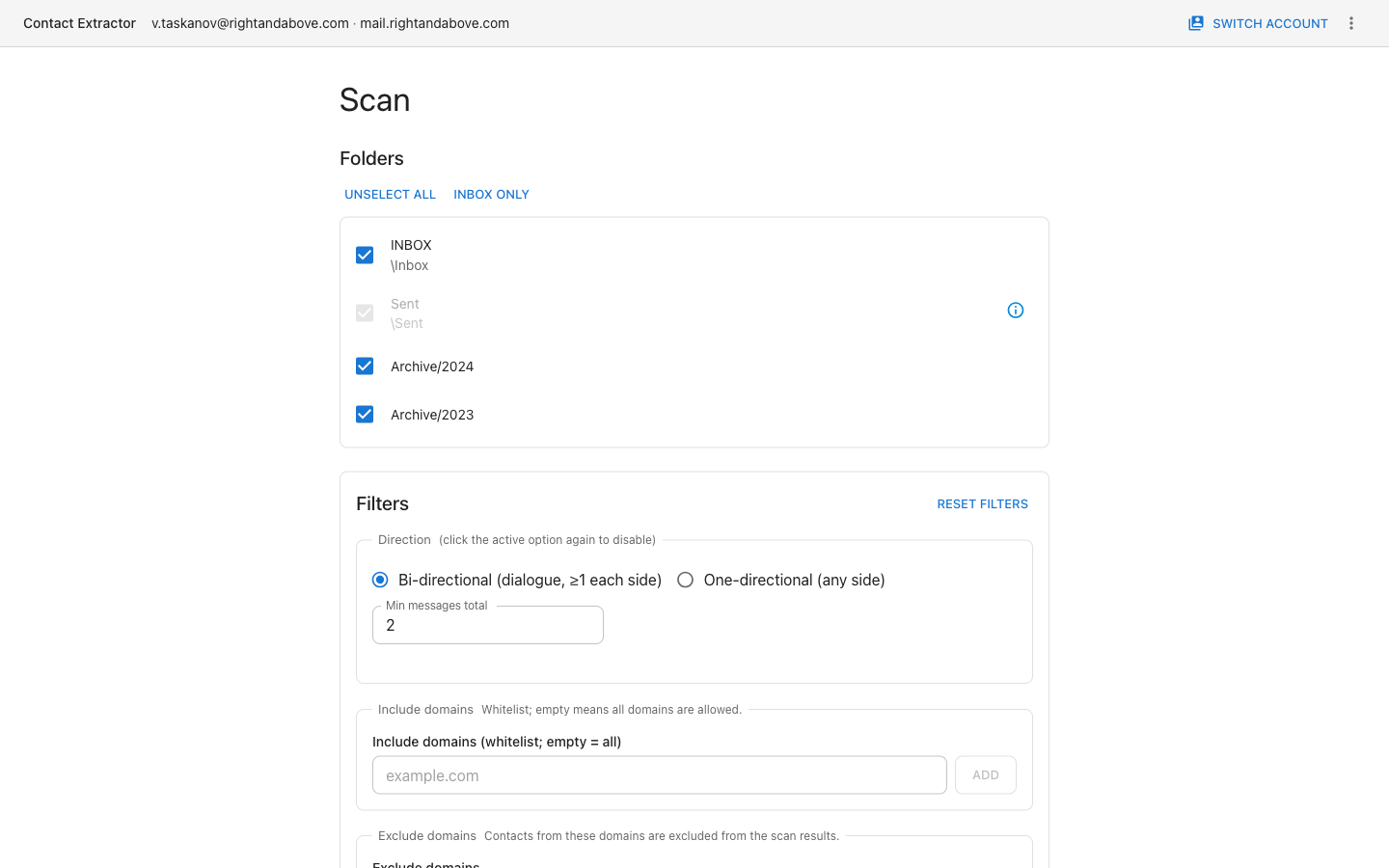
Folder selection: everything, INBOX only, or a custom set.
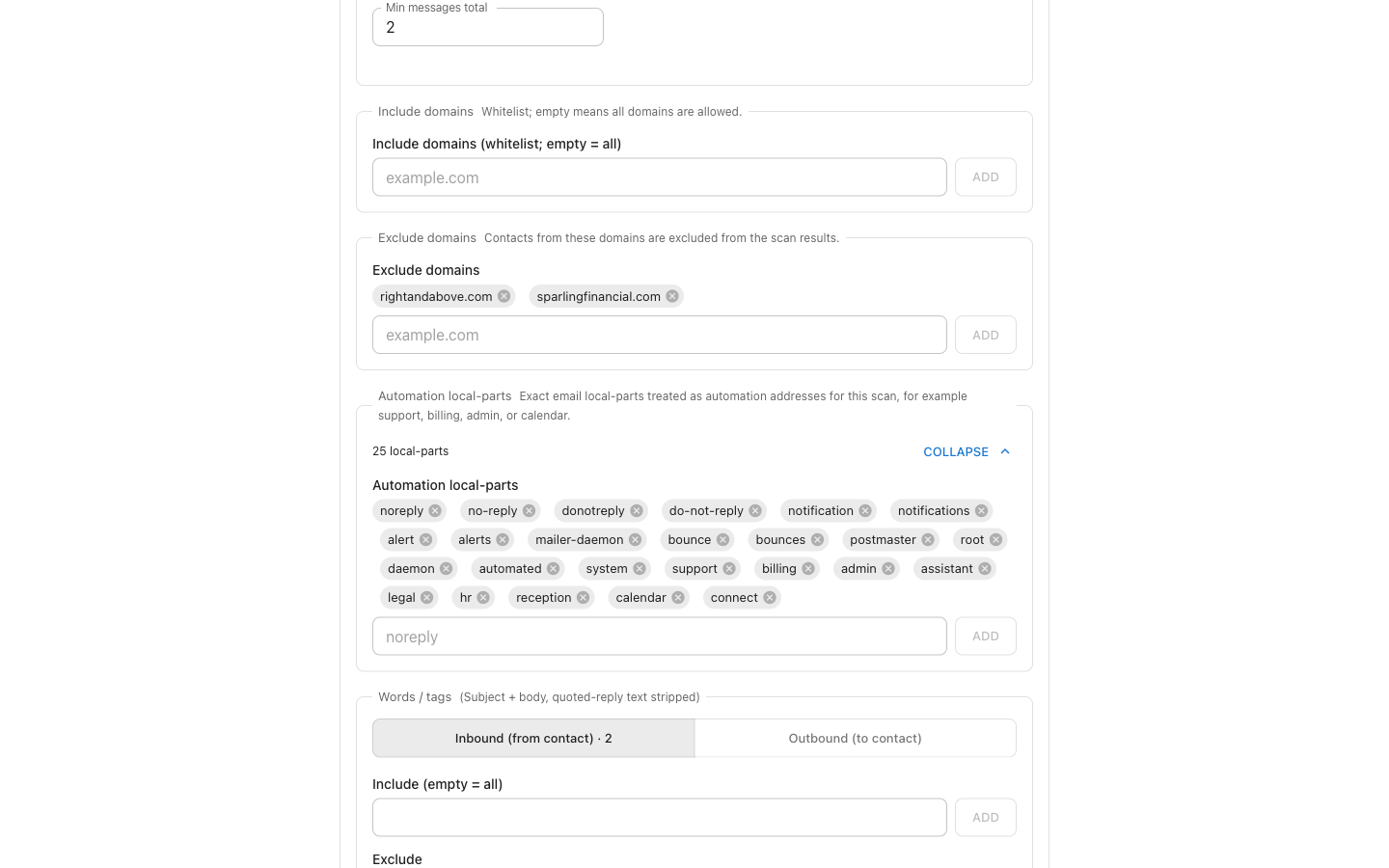
Domains, automated addresses and word filters — separately for inbound and outbound.
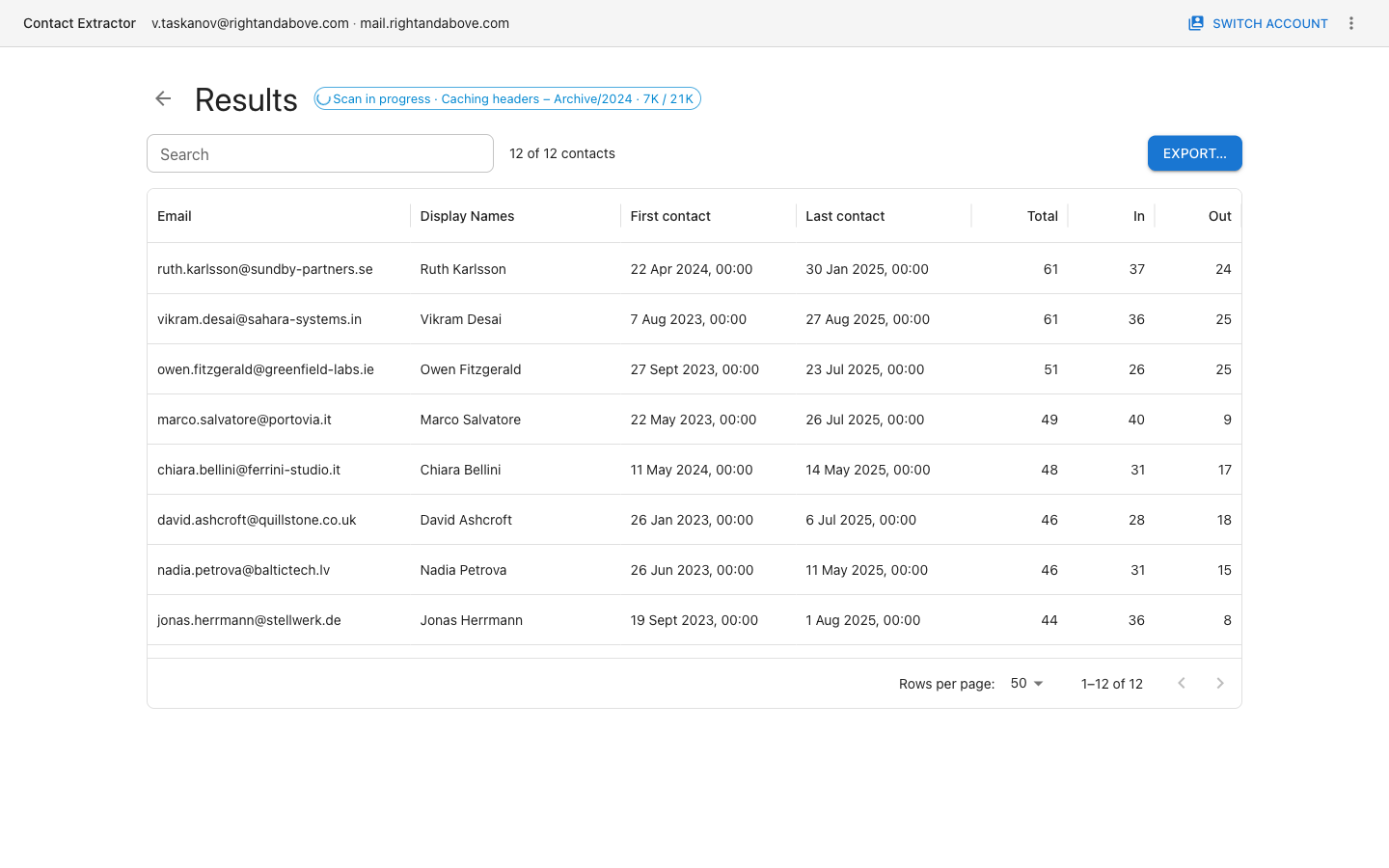
Contacts stream into the table while folders are still being processed.
The final table: search, sorting and pagination.
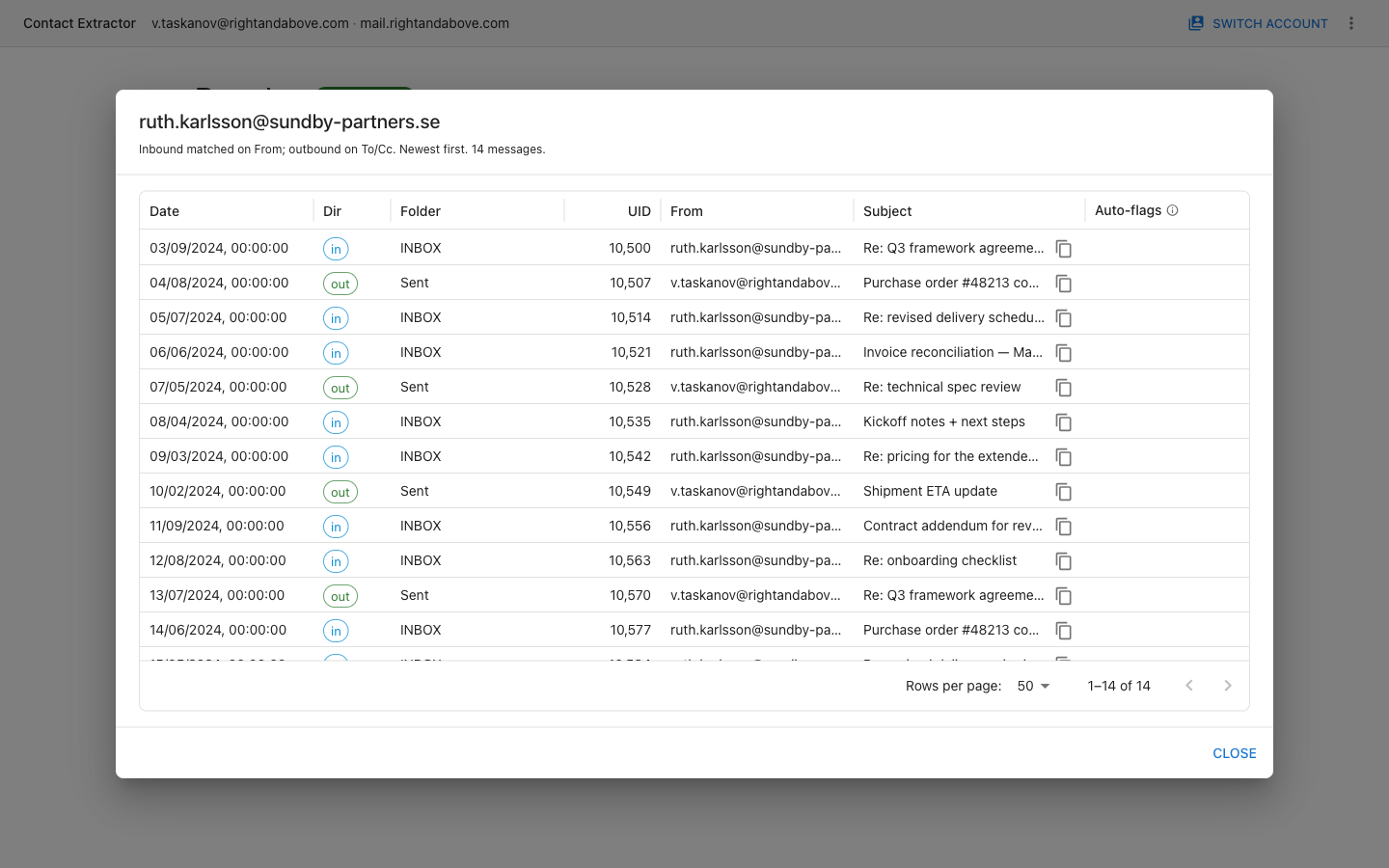
Verification: exactly which messages produced this contact.
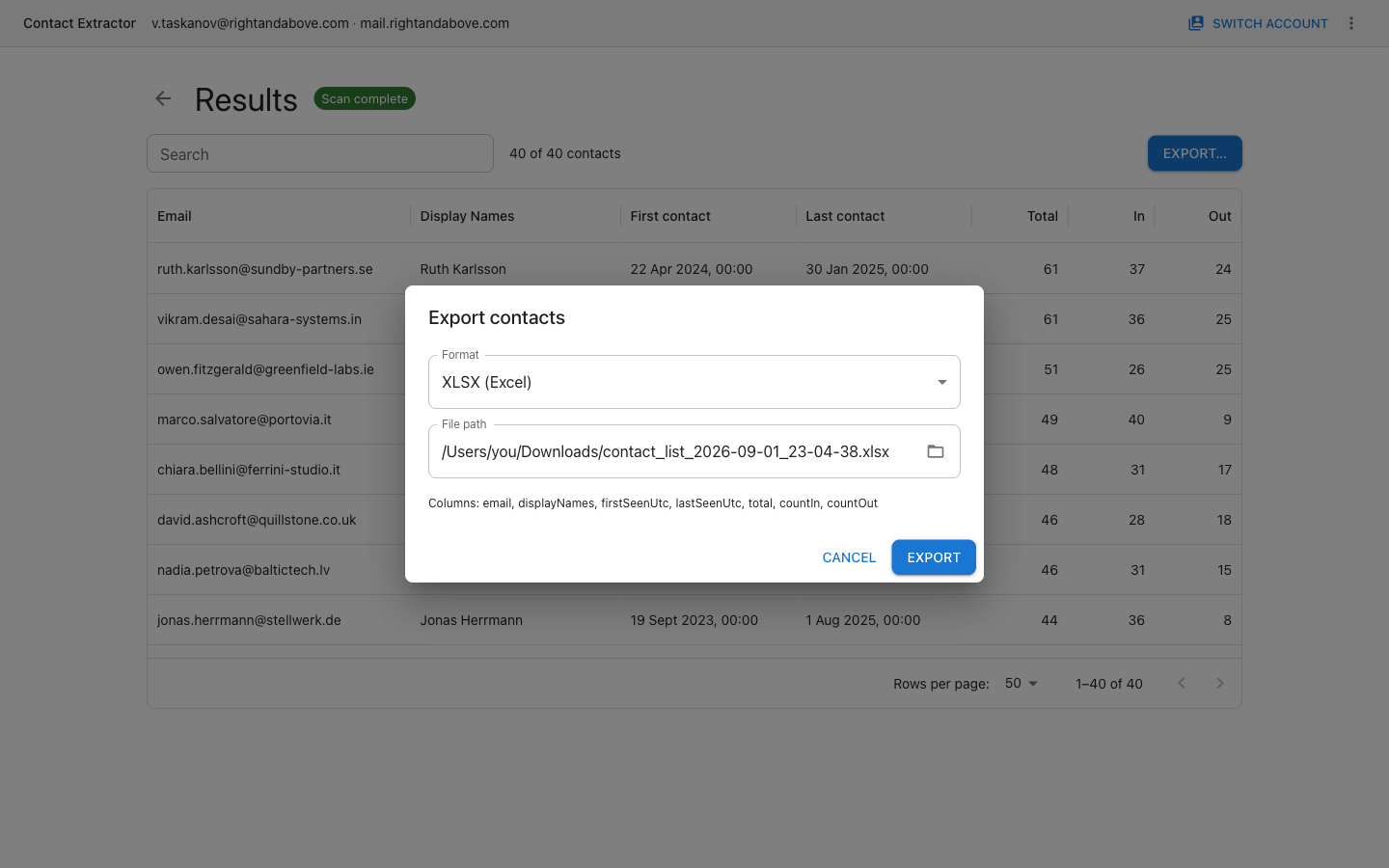
Export to XLSX or CSV with a fixed column set.
Pick your platform.
version 1.1.0 · DMG
The build is ad-hoc signed, without a Developer ID. On first launch: right-click the app → “Open”.
version 1.1.0 · x64
Installs per user, no administrator rights required. SmartScreen may warn about an unknown publisher — “More info” → “Run anyway”.
version 1.1.0 · x86_64
AppImage: chmod +x, then run. Package:
sudo apt install ./contact-extractor-1.1.0-amd64.deb.
A checksum is a fingerprint of the file. Run it on your download and compare: if the two strings match, the file arrived byte-for-byte intact — a truncated or mangled download is the usual cause of “the installer is corrupted” errors on a 100 MB file. These builds are unsigned, so this is also the only way to confirm you got the file that was published here.
a47424367d25b5a9252069a8a2754052b7704f99891ce14d5cbf61c7e0e72a2f  contact-extractor-1.1.0-arm64.dmg
42bc98ad991f79f4ab11d6a32e25fd2ca8a6e9fa60a51b062d72e6180dc04c34  contact-extractor-1.1.0-x64.dmg
f03b1cd81fdf39ad4cb4b9a2c8797d5e2e1def318b168c44fda883131c769305  contact-extractor-1.1.0-x86_64.AppImage
76d1f4c3d81376138048fe9f92e61999a3e9dc3376b216856bd9e807bde10472  contact-extractor-1.1.0-amd64.deb
e20162f5f01e3a21dbdc4d024b2b542da95ff93fa421ee54dcfac7e3bf80fcf4  contact-extractor-1.1.0-x64.exe
442890eb89ef475a77987ed44c8a2452aba0a43287c2fd68d4e7f1414ee66357  contact-extractor-1.1.0-x64-portable.exe
Verify with shasum -a 256 <file> (macOS/Linux) or
certutil -hashfile <file> SHA256 (Windows).
Requirements: macOS 11+, Windows 10/11 x64, Linux x86_64 with glibc 2.28+ (Ubuntu 20.04+, Debian 11+). Needs an IMAP server reachable over 993/TLS or 143/STARTTLS that accepts a username and password — OAuth and SSO sign-in are not supported.
The app's only network connection is outbound IMAP to your own server. No telemetry, no analytics, no auto-update.
An external address you exchanged messages with in both directions (at least one inbound and one outbound), not flagged as automated and not a role address (support@, info@ and the like) — unless you replied to it yourself. Every threshold and list is configurable before the scan.
The app reads message headers only, so 50k+ messages take minutes rather than hours. A repeat scan picks up only what has arrived since the last one.
The build is ad-hoc signed, without a Developer ID certificate or notarization. This is an internal tool: on first launch, right-click the app and choose “Open” — macOS remembers the choice afterwards.
The installer puts the app in your user profile (no administrator rights), adds a Start menu shortcut and an “Apps & features” entry, and keeps the local cache and saved logins on uninstall. The portable build is a single .exe that runs from anywhere — handy on a locked-down machine or a USB stick.
No. Sign-in is an IMAP username and password, sent over TLS. There is no OAuth flow and no SSO, so a mailbox that only accepts token-based sign-in cannot be connected. SSO is planned as a separate phase, and only for servers that advertise support for it.
Yes, with an app password. Pick “Custom…” as the server preset and enter the
provider's IMAP host — imap.gmail.com or
outlook.office365.com — on port 993 with TLS. Both providers stopped
accepting your normal account password over IMAP, so you need to turn on
two-factor authentication and generate a 16-character app password for the
Password field. If your organization blocks app passwords, the mailbox cannot be
connected — that would need OAuth.
One Gmail quirk: its labels appear as IMAP folders, and
[Gmail]/All Mail holds a copy of everything already in Inbox and Sent.
Leave it unchecked on the Scan screen, or every message counts twice.
Only if you enable “Parse message bodies”, which powers the body word filters. Bodies are truncated to 256 KB, encrypted by the OS keystore and stay on your computer.
Grab the build for your system and run your first scan in a couple of minutes.